We build the one percent of digital products.
EchoSign
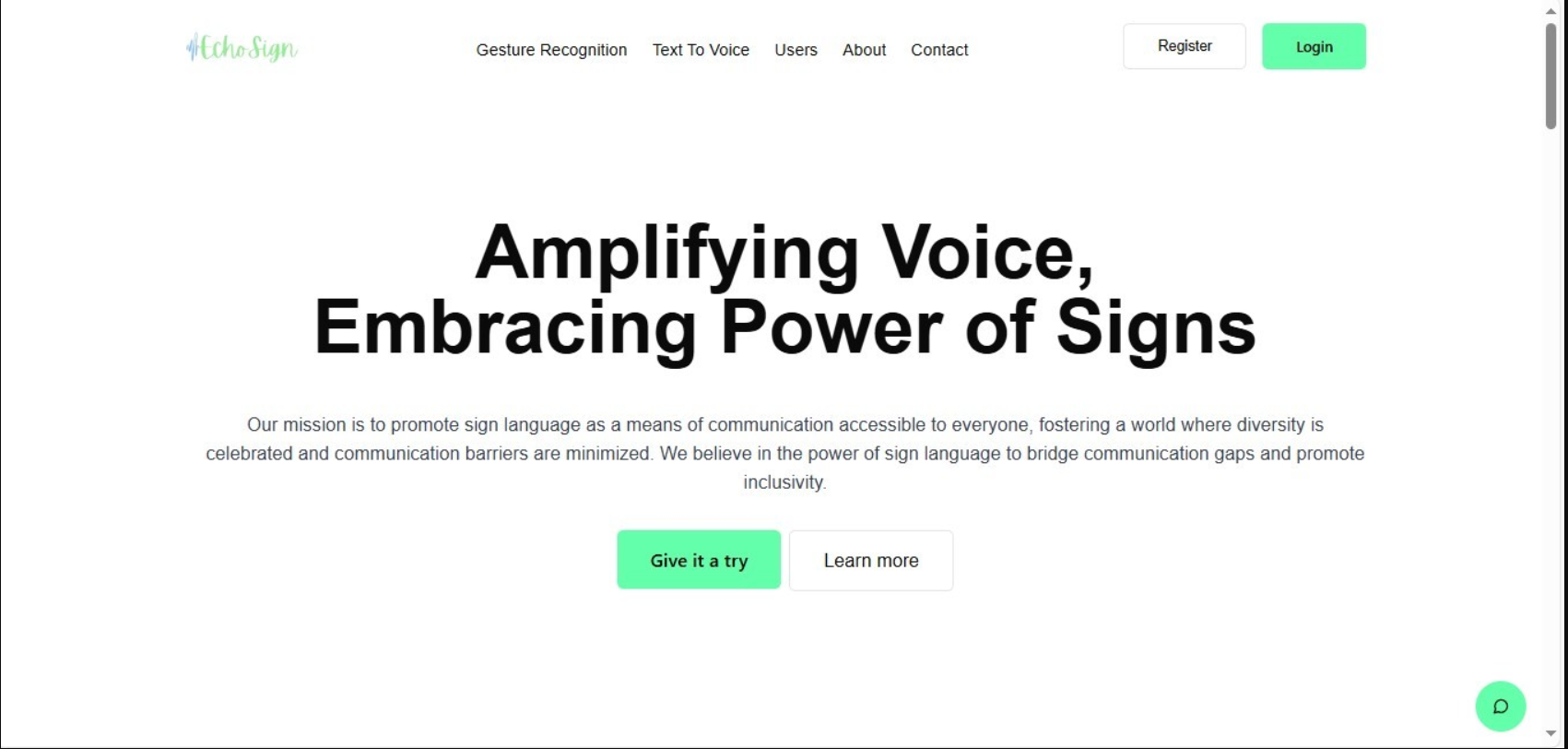
Someone who signs and someone who does not are stuck the moment they meet without a third person in the room. EchoSign closes that gap with a webcam: it reads American Sign Language gestures, turns them into text, and speaks the text aloud in a chosen voice.
Sign language recognition has been solved in labs for years, usually with depth cameras, gloves, or a rig nobody owns. Anything that requires hardware is not an accessibility product. It is a research result.
The second failure mode is narrower but just as fatal: a tool that translates in one direction and stops. Being understood once is not a conversation. If the person signing cannot also read a reply, follow up, and keep in touch afterwards, the product solves a demo and not a life.
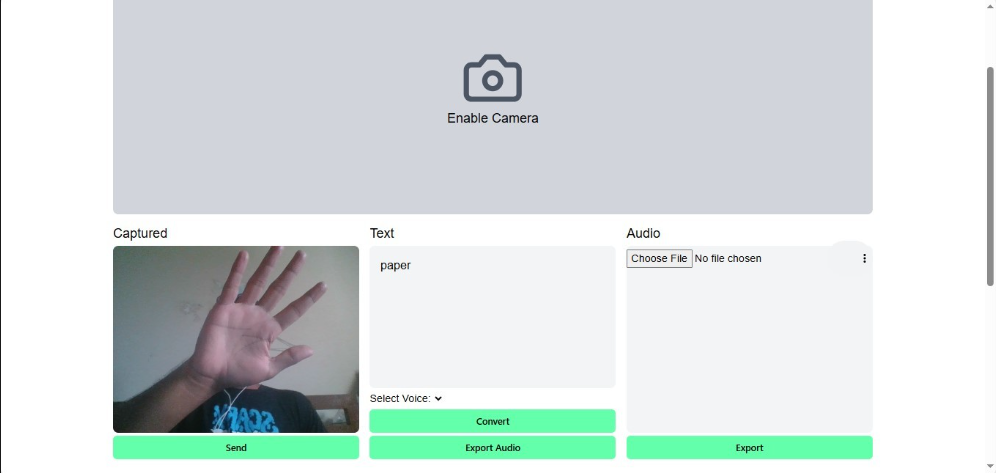
Recognition runs on hand landmarks extracted from an ordinary webcam feed with MediaPipe, which is what keeps the hardware requirement at zero. The user grants camera access, signs, and the captured frame is classified into the corresponding ASL gesture and appended to a text buffer.
Keeping the recognised text visible and editable before it is spoken was a deliberate decision. Gesture classification is never perfect, and a system that speaks a wrong word with confidence is worse than one that shows its work. The user sees exactly what will be said and can fix it first.
“Recognition is a suggestion, not a verdict. The person signing gets the last word before anything is spoken aloud.”
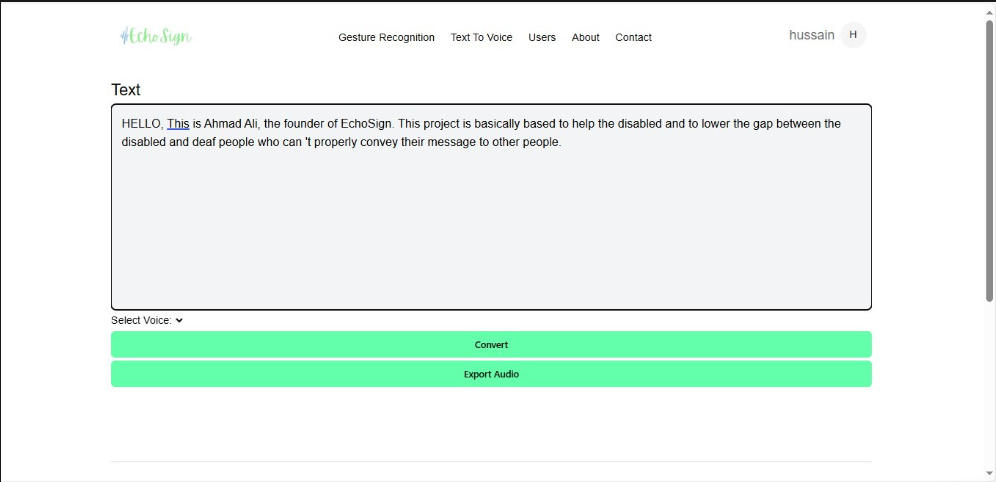
The speech side is a standalone tool as well as the tail end of the recognition flow. Text goes in, a voice is selected, and the result plays back or exports as an audio file. Export matters more than it looks: it lets someone prepare what they need to say in advance and carry it into a situation where signing will not be understood, like a phone call or a service desk.
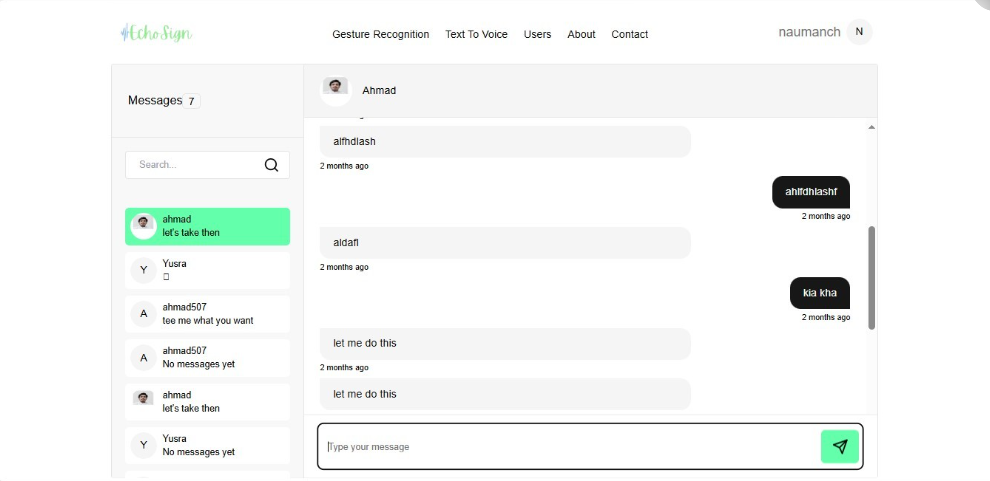
Around both tools sits a social layer, because the point was never a single translated sentence. Users have profiles, browse and search other users, send and accept friend requests with mutual-friend context, invite people who are not on the platform yet, and message each other directly. The community is what turns a translation utility into somewhere people come back to.
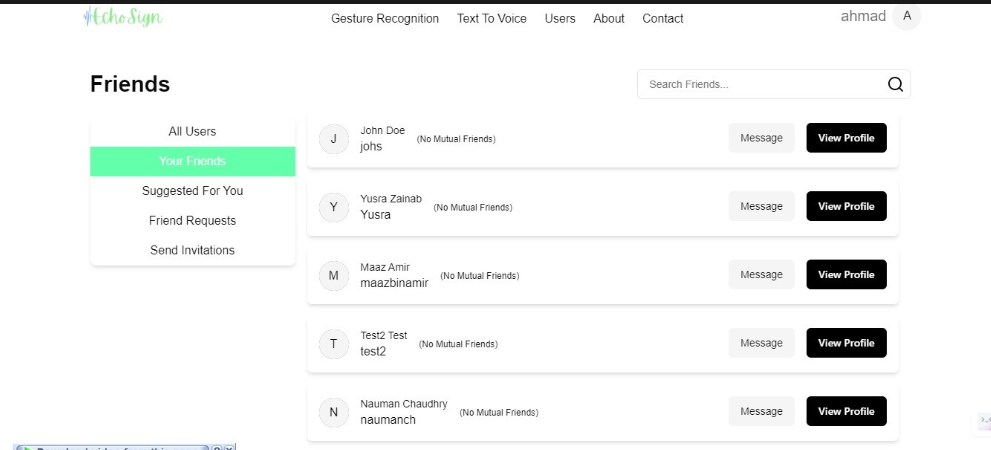
EchoSign shipped as a complete product: accounts and registration, webcam gesture recognition, editable recognised text, selectable voices with audio export, a searchable user directory, friend requests and invitations, direct messaging, and a mailing list for people following the project.
The build is a useful reminder of where accessibility products actually succeed or fail. The model is the easy part. Whether a stranger can be understood at a counter, on a first try, on the laptop they already own, is the part that takes product work.
A monthly dispatch on design, engineering and the craft of shipping. No fluff. Unsubscribe anytime.